Headlamp on Volcano
Headlamp introduction
Headlamp is a Kubernetes web UI that can run as a desktop application or inside a cluster. It supports plugins, allowing projects to add purpose-built views for custom resources and operational workflows.
The Volcano Headlamp plugin brings Volcano resources into Headlamp so operators can inspect and manage batch scheduling state from a Kubernetes UI. It is useful for users who want a visual way to work with Volcano CRDs instead of switching between multiple kubectl commands.
Watch the demo to see the Volcano plugin in Headlamp, including the plugin catalog, Volcano resource pages, detail views, and resource map integration.
Prerequisites
Before using the plugin, make sure the following components are available:
- A Kubernetes cluster with Volcano installed
- A working kubeconfig for the cluster
- Headlamp installed as a desktop app or deployed in the cluster
Install the plugin from the Headlamp Plugin Catalog
To try the plugin, install Headlamp and open the Plugin Catalog from the Headlamp UI. Search for Volcano, install the Volcano plugin, and connect Headlamp to a Kubernetes cluster where Volcano is already installed.
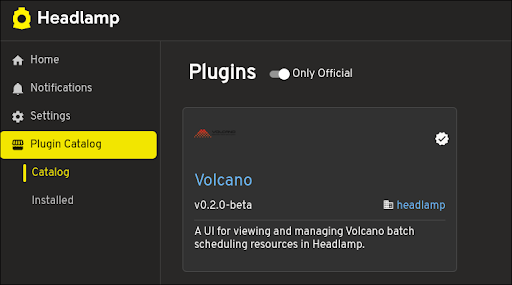
After the plugin loads, the Volcano section appears in the Headlamp sidebar.

Volcano resources supported
The plugin adds a dedicated Volcano section in the Headlamp sidebar and provides list and detail pages for core Volcano resources:
| Resource | API Group |
|---|---|
| Volcano Job | batch.volcano.sh/v1alpha1 |
| Queue | scheduling.volcano.sh/v1beta1 |
| PodGroup | scheduling.volcano.sh/v1beta1 |
| JobTemplate | flow.volcano.sh/v1alpha1 |
| JobFlow | flow.volcano.sh/v1alpha1 |
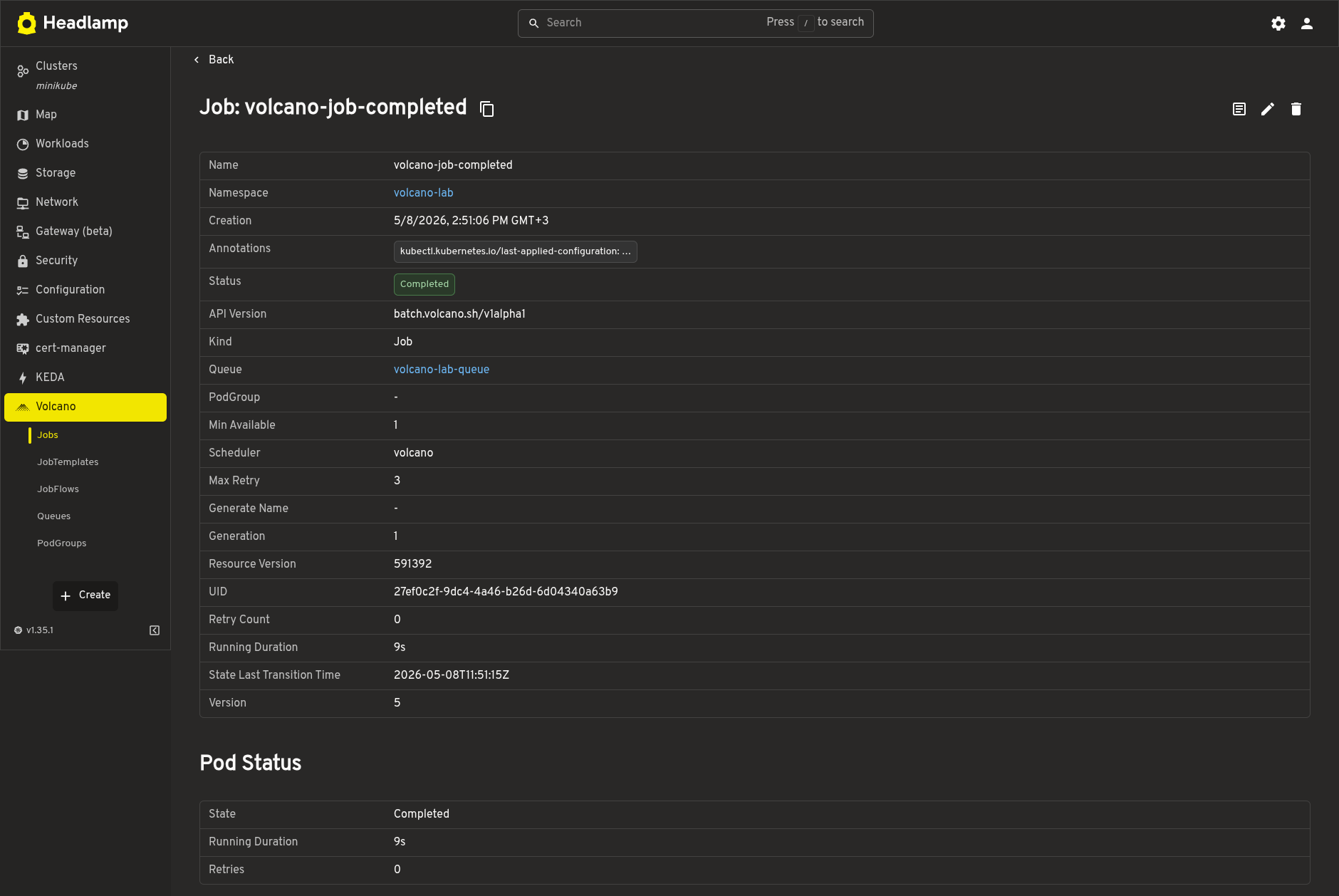
The detail pages show scheduling-focused fields such as job status, queue, task progress, PodGroup phase, queue state, generated jobs, conditions, and related events. They also include links between related Volcano resources, for example from a Volcano Job to its Queue or PodGroup.
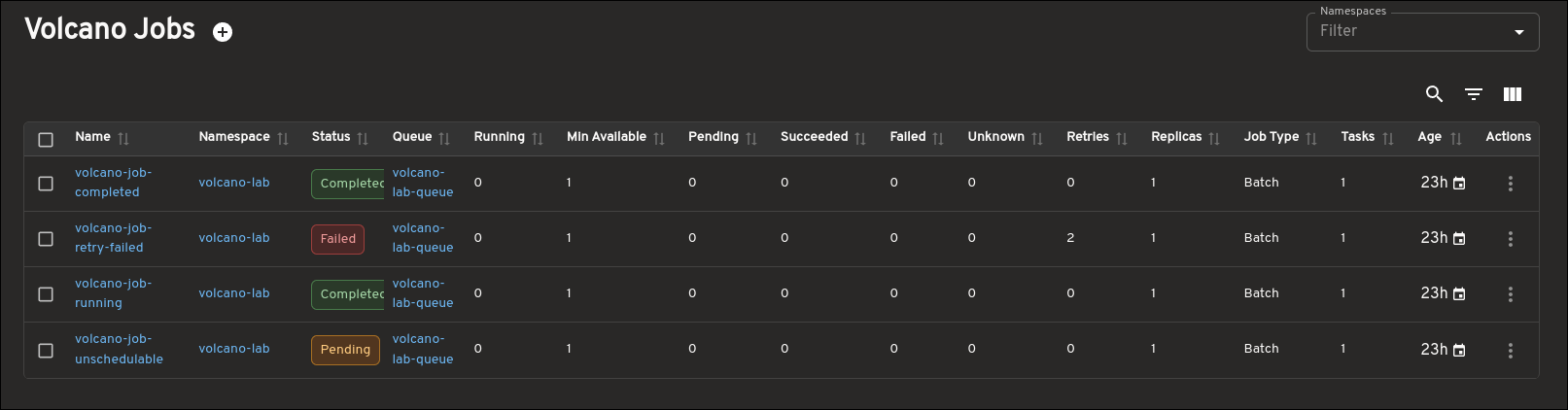
Verify Volcano resources in Headlamp
After installing Volcano and loading the plugin, create or use existing Volcano workloads. The following commands show the core resources that the plugin displays:
kubectl get vcjob -A
kubectl get queues
kubectl get podgroups -A
kubectl get jobtemplates -A
kubectl get jobflows -A
In Headlamp, open the Volcano sidebar section and check the Jobs, Queues, PodGroups, JobTemplates, and JobFlows pages. Open a detail page to inspect status, related resources, conditions, events, and other scheduling information.
View Volcano relationships in the resource map
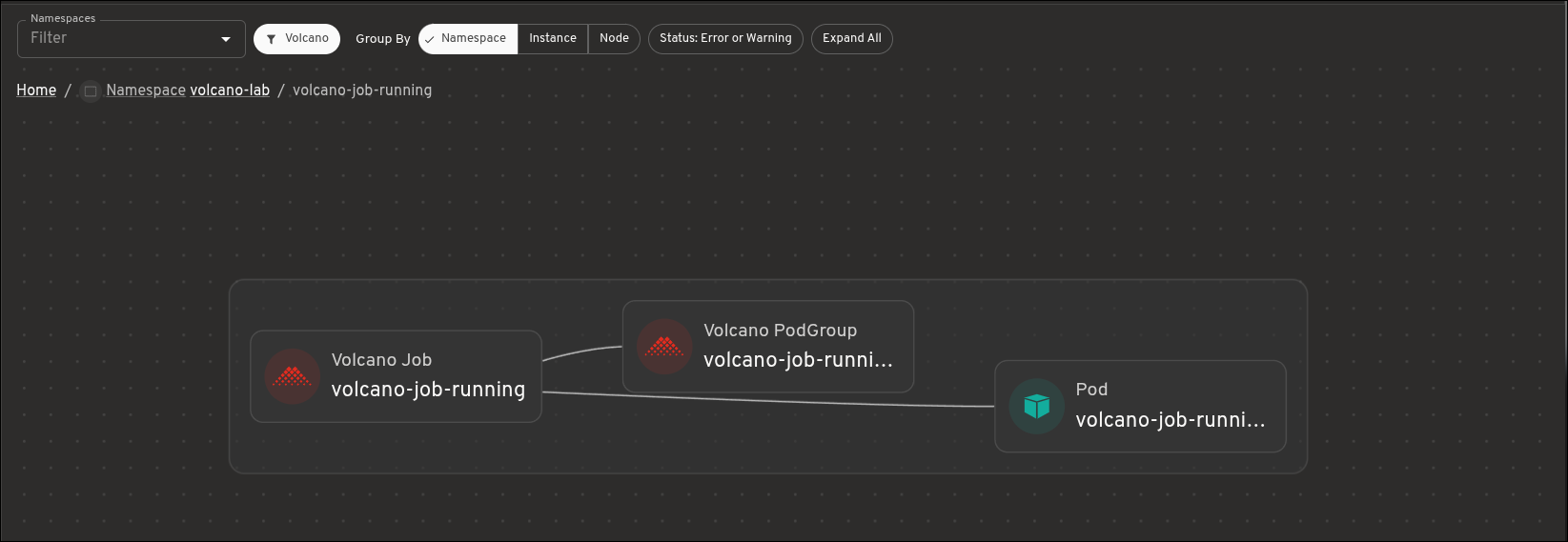
The plugin also integrates Volcano resources with the Headlamp resource map. The map helps operators understand how scheduling resources relate to each other:
- Queue hierarchy shows parent and child Queues
- Volcano Jobs connect to their PodGroups
- Pods connect back to the Volcano Jobs that own or label them
- Queue details remain available from the map without adding dense Queue-to-workload edges
Open the Headlamp resource map and enable the Volcano map sources. Use the map to follow a workload from Pod to Volcano Job and PodGroup, or to inspect the Queue hierarchy used by scheduled workloads.
Clean up test workloads
If you created sample Volcano workloads only for testing, delete them after verification. For example:
kubectl delete vcjob --all -n <namespace>
kubectl delete jobflows --all -n <namespace>
kubectl delete jobtemplates --all -n <namespace>
Do not delete shared Queues unless no other workloads use them.
For local development, see the Volcano Headlamp plugin source.